
Live tracking and notifications
Follow the bus, without calling the driver
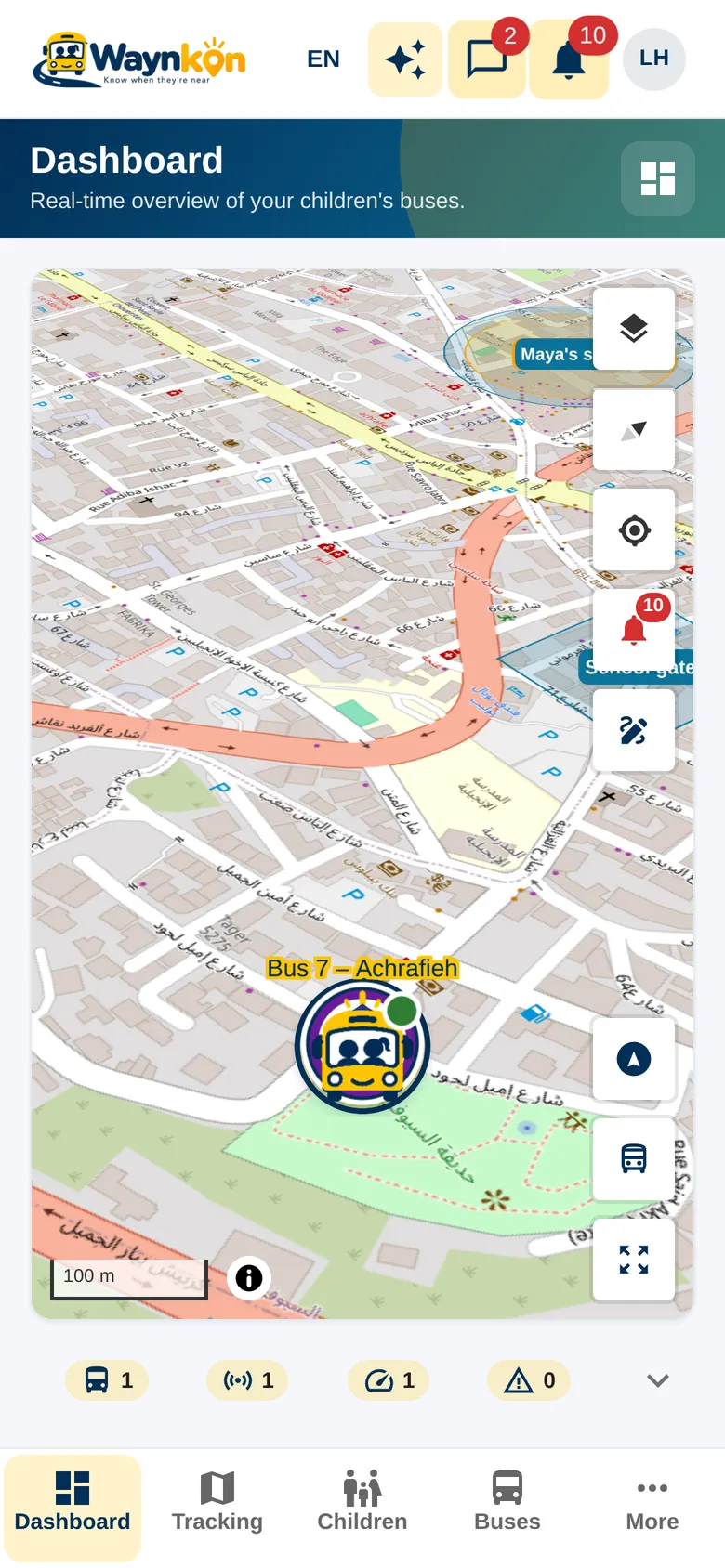
See the bus on the map during the trip, with the time of its latest update, and get the notices that matter to you: in the app, on your phone, and read aloud if you like.
How it works
The right bus, for the right people
See the latest position
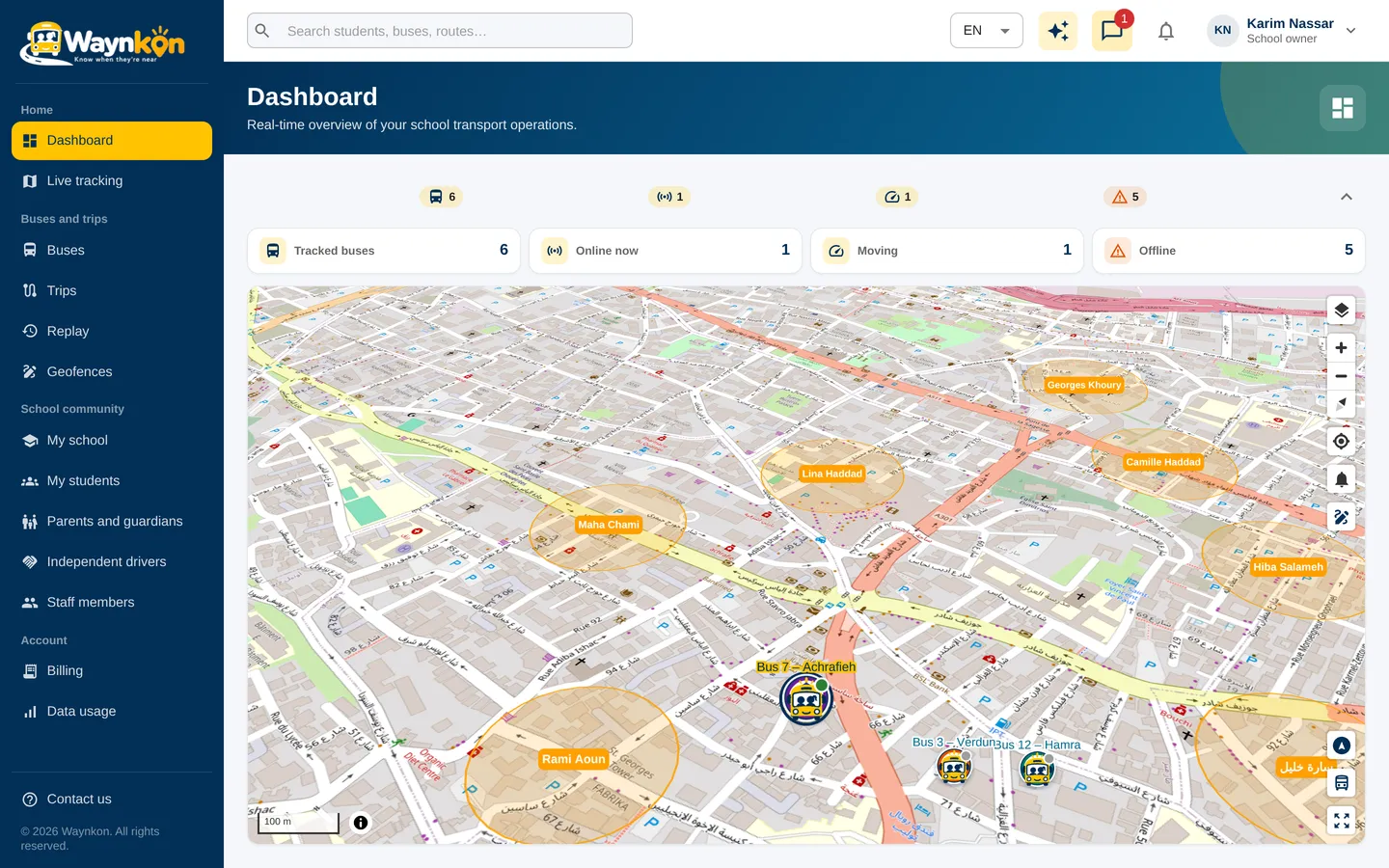
The map shows where the bus was last reported and when. Follow the selected bus, or move the map to look around. Open its details for the trip it is on.
A view that fits your role
Parents follow the bus carrying their own child. Schools and organizations see the buses they manage. A school sees a contracted independent driver’s bus only while it is on a trip carrying that school’s students.
Notices that matter
Get notified when a trip you follow starts, when your child is picked up or dropped off, and when the bus is near. Each notice names the bus, the trip and your own children.
Hear it, hands free
Turn on spoken notifications and Waynkon reads each notice aloud in your language. On Android this works even with the phone locked.
The driver’s phone does the tracking
The Waynkon Android app shares the bus location during the trip, even with the screen locked or another app open. A dedicated GPS tracker is optional.
See it in the app
- 0:00 / 0:15
“Where is the bus?”
Maya is on Bus 7 – Achrafieh. The morning trip started at 7:30, and the bus sent its position a minute ago. It is moving on Selim Rustom Baz Street, Mar Mitr.
Start following in three steps
Connect
Connect with your child’s school or driver, and have the enrolment accepted.
Allow notifications
Sign in on your phone, allow notifications and choose the notices you want.
Open the trip
When the trip starts, open Dashboard or Live tracking, or simply ask Waynkon.
- Each position shows when it was received. If the map stops updating, check that time: signal, internet access, battery settings and location permissions can all delay updates.
- Notices depend on the network and your phone’s settings. For anything urgent, contact the school or driver directly.
- Waynkon shows where the bus is now. It does not predict arrival times.
Questions about tracking
Do I need a separate tracker on the bus?
No. The driver’s phone with the Waynkon Android app shares the location during the trip. A dedicated GPS tracker is an optional alternative; ask us to confirm your model before buying one.
Can a contracting school follow an independent driver all day?
No. The school sees that bus live only while it is on a trip carrying the school’s own students. The rest of the driver’s day stays private.
Can I hear notices without unlocking my phone?
Yes, on Android. Turn on spoken notifications in the app and each notice is read aloud as it arrives.